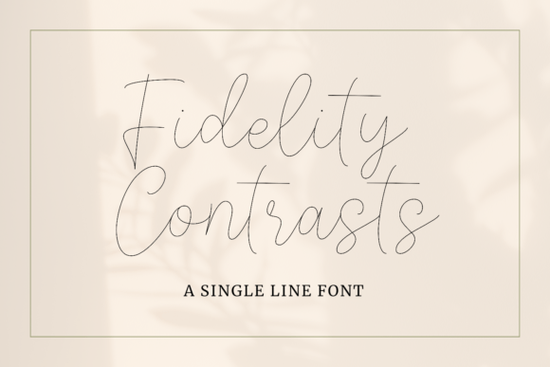
If you're looking for a single-line font that feels elegant without being overdone, Fidelity Contrasts Font is worth a close look. It's a graceful typeface with delicate strokes and beautiful thick-thin contrast that works well for wedding stationery, social media graphics, branding, and more. Whether you run a print-on-demand shop or design for clients, this font brings a refined, hand-lettered quality to your work.
What makes Fidelity Contrasts Font stand out?
Unlike heavy brush scripts or bold display fonts, Fidelity Contrasts uses a single-line construction that keeps each letter light and airy. The contrast between thick and thin strokes gives it personality without making it hard to read. It sits in a sweet spot between casual and formal, which means you can use it for a wide variety of projects without it feeling out of place.
If you've worked with playful fonts like Milkshake Font, you'll notice Fidelity Contrasts has a quieter, more sophisticated feel. It's less rounded and more refined, which makes it a strong choice when your design calls for elegance over fun.
What can you design with this font?
Single-line fonts are flexible by nature. Here are some projects where Fidelity Contrasts works especially well:
- Wedding invitations and save-the-dates The thin, flowing strokes complement floral arrangements, watercolor backgrounds, and soft palettes.
- Thank-you cards and stationery Gives handmade-looking cards a polished, boutique feel.
- Social media posts and story templates Great for quote graphics, promotional headers, and lifestyle brand content.
- Logo design A solid pick for beauty, fashion, wellness, or boutique-style brands.
- SVG and cut files The clean, continuous lines make it compatible with Cricut and Silhouette cutting machines.
If your project needs something with more texture, Cyber Brush offers a bold, painterly alternative. But for designs that need to feel light and graceful, Fidelity Contrasts is the better fit.
Is this font easy to work with?
Absolutely. Once you download and install the font files, Fidelity Contrasts works in all the usual design tools Adobe Illustrator, Photoshop, Canva, Cricut Design Space, Procreate, and more. You just type, resize, change the color, and adjust spacing like any other font.
The character set includes uppercase and lowercase letters, numbers, and standard punctuation. Always check the product listing for the full character map and any licensing details before you start a commercial project.
How does it compare to other script fonts?
When you're choosing a script font, it helps to compare a few styles side by side. Here's how Fidelity Contrasts fits among similar options:
- Milkshake Font Thick, rounded, and cheerful. Best for bold headers and playful branding.
- Misha Salma A flowing calligraphy style with connected letterforms. Great for formal invitations and romantic designs.
- Maker Font A hand-lettered look that works well for crafty, DIY-style projects.
- Fidelity Contrasts Thin, elegant, and structured. Ideal when you want sophistication without stiffness.
Each of these has its own personality. Fidelity Contrasts occupies that middle ground more polished than casual lettering, but less ornate than traditional calligraphy. That flexibility is what makes it useful across so many different design contexts.
Where can you get this font?
You can find Fidelity Contrasts Font on Creative Fabrica, available as a single purchase or through their subscription plan. If you regularly need fonts, graphics, and craft files for your projects, the subscription gives you access to a large library for a flat monthly price. Typography enthusiasts interested in the construction behind fonts like Fidelity Contrasts Font can explore resources on typeface anatomy and design principles to better understand how single-line styles are built.
Before you start designing, run through this quick checklist
- Download and install the font files on your system
- Review the license to make sure it covers your use case personal, commercial, or print-on-demand
- Test the font at different sizes to find where it looks best
- Pair it with a clean sans-serif for body text to keep your layout balanced
- Save your working files so you can come back and tweak later
Once you've got it installed, try setting a few sample phrases at different sizes and spacing. You'll quickly get a feel for where Fidelity Contrasts works best in your designs.
Learn More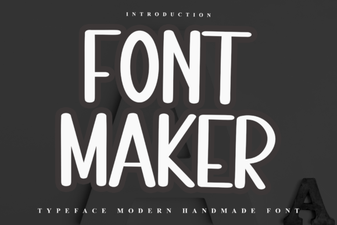 Creative Font Maker Ideas for Stunning Designs
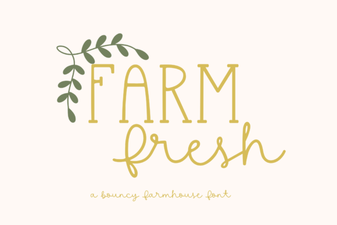 Farm Fresh Font: Rustic Typography for Creative Design Projects
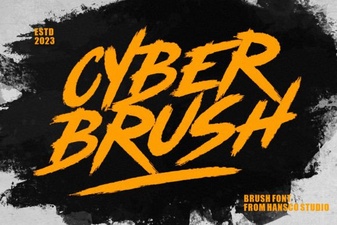 Cyber Brush Font: Bold and Edgy Design for Creative Projects
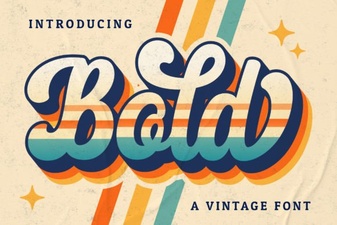 Expressive Bold Script Fonts for Creative Projects
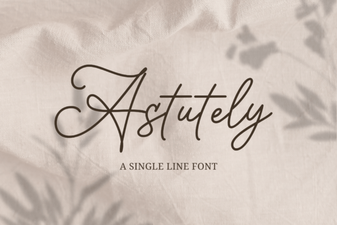 Astutely Font: a Smart Choice for Modern Design Projects
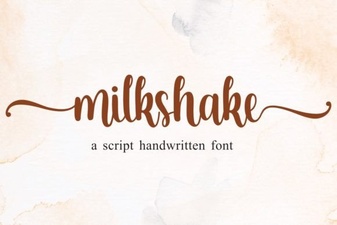 Milkshake Font: Playful Typography for Creative Design Projects