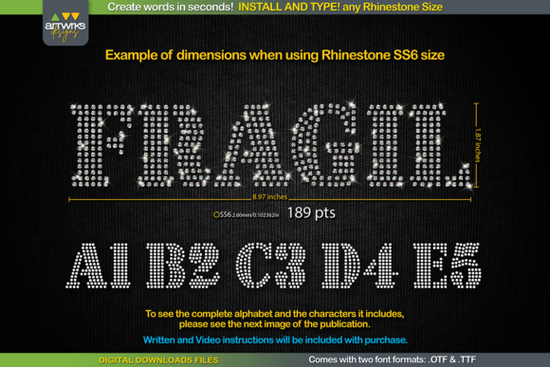
If you've ever spent hours arranging tiny rhinestones into letters by hand, you know how tedious that process can be. The RS03 Seal Bold Rhinestone Template TTF Font solves that problem by giving you a ready-made, typeable font where every letter is already filled and arranged for rhinestones or heat transfer vinyl. You just install the font, type your word, adjust the size, and send it to your cutter. That's it.
This font is built for crafters, small business owners, and anyone making rhinestone T-shirts, bling designs, or custom HTV projects. Whether you use Silhouette Studio, Cricut Design Space, Inkscape, or Illustrator, it works across all of them on Windows, Mac, iPad, and iPhone.
How Does a Rhinestone Template Font Work?
A rhinestone TTF font doesn't work like a regular text font. Instead of normal letter shapes, each character is designed as a grid pattern of circles that represent rhinestone placement. When you type a word, the letters automatically fill with these circle patterns no manual arranging needed.
The RS03 Seal Bold rhinestone font comes in both .TTF and .OTF formats, so you can use whichever works best with your software. It includes uppercase letters, lowercase letters, numbers, and the characters shown in the product preview images.
What Size Should I Set the Font?
This is one of the most common questions, and the answer depends on which rhinestone size you're using. Here's a quick reference:
- SS6 stones: 189 pt (75 pt in Cricut Design Space)
- SS10 stones: 241 pt (95 pt in Cricut Design Space)
- SS16 stones: 295 pt (116 pt in Cricut Design Space)
- SS20 stones: 388 pt (154 pt in Cricut Design Space)
Note that Cricut Design Space uses different point sizes than other programs. The download includes an instruction file with a linked tutorial that walks you through adjusting the size, especially if Cricut isn't holding the recommended settings the way it used to.
What Do You Get After Purchase?
This is a digital download only no physical item ships to your door. After purchase, you'll receive a zip folder containing:
- .TTF font file works in Silhouette Studio, Cricut Design Space, Inkscape, and Corel Draw
- .OTF font file Open Type Format for broader software support
- Instruction text file with a linked video tutorial
How to Install and Start Using It
Getting started takes just a few minutes:
- Close your design software if it's open.
- Unzip the downloaded folder.
- Open the .TTF file and click "Install" (or right-click and choose "Install for all users").
- Reopen your design program.
- Type your word and select the rhinestone font from your font list.
- Set the font size based on your rhinestone size (see the table above).
- Send the template to your cutting machine and start creating.
What Can You Make With This Font?
The possibilities go well beyond T-shirts. Here are a few popular project ideas:
- Rhinestone T-shirts the most popular use, great for custom orders
- Heat transfer vinyl (HTV) text the trapped pattern works perfectly for HTV cutting
- Tote bags and hats smaller text for accessories
- Sports team gear names and numbers on jerseys
- Gift items personalized rhinestone designs for birthdays, bachelorette parties, and holidays
Is This Font Worth It for a Small Business?
If you sell custom rhinestone apparel or HTV products, a typeable template font like this saves serious time. Instead of manually placing each stone circle in your design software, you type a word and you're ready to cut. For businesses handling multiple orders a week, that time savings adds up quickly.
It also pairs well with other design resources. If you're looking for complementary typefaces for your non-rhinestone projects, Seal Bold Slab Serif Font offers a matching bold slab style you can use for logos, headers, and print designs.
Quick Checklist Before You Buy
Make sure you're ready to use the RS03 Seal Bold Rhinestone Template TTF Font by confirming these items:
- ☑ You have a design program that supports TTF fonts (Cricut, Silhouette, Inkscape, Illustrator, etc.)
- ☑ You know which rhinestone size you plan to use (SS6, SS10, SS16, or SS20)
- ☑ You can unzip files on your computer or device
- ☑ You've checked the preview images to confirm the available characters meet your needs
Tip: After installing, always type a test word and check the size on screen before sending it to your cutter. This one small step prevents wasted material and ensures your rhinestone spacing looks right on the final product.
Get Started Sumario Font: Modern Typography for Creative Designers
 Creative Font Maker Ideas for Stunning Designs
 Afterglow Font: Luminous Typography for Bold Designs
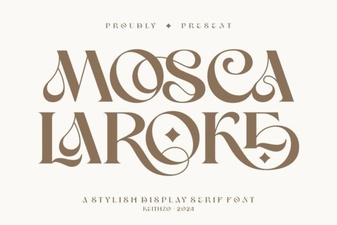 Mosca Laroke Font – Bold and Creative Typeface
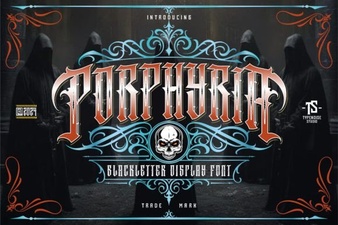 Porphyria Font: Creative Typography for Design Projects
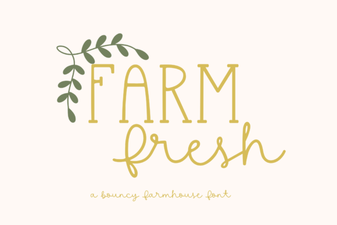 Farm Fresh Font: Rustic Typography for Creative Design Projects